
If you connect to a Bluetooth device on your iOS device, you may have noticed a little battery icon just to the right of the Bluetooth icon in the status bar. Here’s a pic of mine:
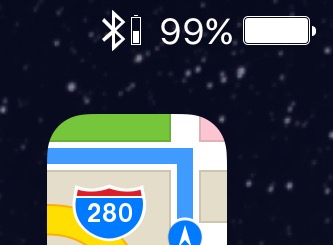
Not all devices support this Bluetooth battery reporting, but most Bluetooth headsets do. According to Macfixer, this dates back to the original Apple iPhone Bluetooth Headset.
But what happens if you have more than one Bluetooth device connected? How can you tell the battery levels of your various devices? Turns out, iOS 10 has your back.
– On your iOS 10 home screen, drag to the right to show your list of widgets.
– Scroll down to find the Batteries widget. If you don’t have it installed, scroll down to the bottom and tap the Edit button, then scroll to find Batteries, tap the plus icon (to the left) to add it, then tap Done (upper right corner).
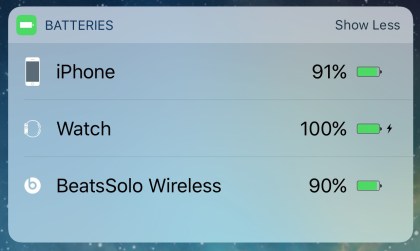
Your Batteries widget reports the charge of your iPhone and all connected devices. By default, Batteries only shows your Apple gear. To show more, tap Show More on the right side of the Batteries widget status bar.
Here’s a picture of my Batteries widget:
You can do this in iOS 9 as well, but the interface is just a bit more complex. Here’s a link to a writeup that’ll talk you through it.
I find this really useful. Enjoy, and please pass this along.
Seems a few more steps than simply pulling down the Notifications screen in iOS 9!
It is pretty much identical – just go to your widgets and look for the battery widget. In iOS 10 you can go to the left of the home screen or lock screen, or drag down your notifications and then go to the left there. It just sounds more complicated as it gives details on how to enable the widget too.
yeah this was in iOS 9. only diff thing is how widgets work in 10.
i have 10.3.3 and the display does not offer battery % in widgets. Malfunction?