
The Pixelmator Team has a major update coming to its image editing app and it should arrive on August 9, the team told The Loop.
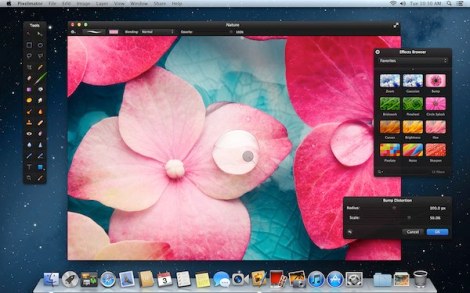
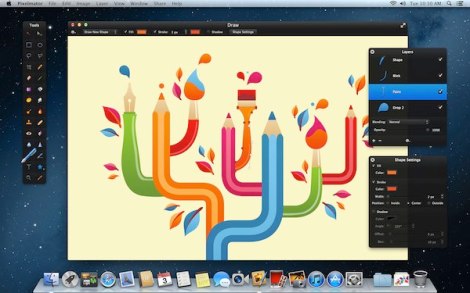
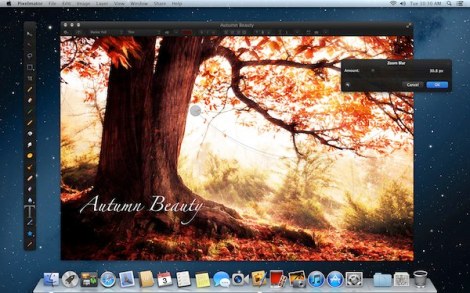
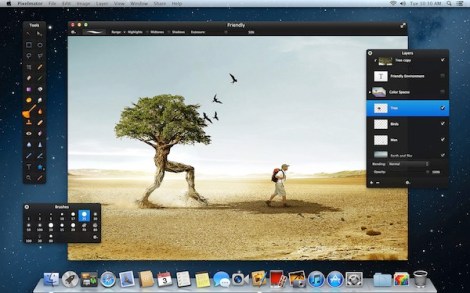
As is the norm with Pixelmator, they zeroed in on some important features for Mac users. Pixelmator 2.1 will offer support for Apple’s new Retina display Macs, so the interface will even better and it will also support OS X Mountain Lion.
One of the big new features is the addition of iCloud support. Version 2.1 will allow users to create, edit, and save documents in iCloud, meaning that you can work on Pixelmator projects on any of your Macs.
Pixelmator 2.1 also comes with a new Effects Browser that allows you to collect, organize and see an animated preview of all Pixelmator’s Color Adjustments. A number of new effects like Vintage, Miniaturize, Black and White, Snow and Rain, that are also included in the update.
The new version will be offered as a free update to existing users.
Pixelmator is really great! Looking forward to the update. A small gripe I have with it: the lack of pinch to zoom with two fingers. The feature was added in 2.0 and then removed in 2.0.1, and it’s still no where to be seen. Hope it will be there in 2.1.
The iCloud sync is huge, I have 3 Macs and I am always AirDropping things from Pixelmator.
The update is free for existing Pixelmator 2 users. Just to be on the safe side. Pixelmator 1 users still need to go to the Mac App Store to purchase an upgrade. Also take the release date with a pinch of salt. I won’t be surprised it get postponed to a few weeks after the 9th as we’ve seen from other releases.
@PMtuts
Better have them wait a few extra weeks and release a great product, than rush it.
Awesome app that has an amazing price.
Support for PhotoShop smart shapes and layer effects would be awesome. What are the chances we’ll get that at some point?
As long as filters don’t behave like on/off layers, it’s a no go for me …
With the cloud support it will be a welcome addition from the Pixelmator team.
Been having issues with the current version on Mountain Lion. Excited about the new launch.
Duplicate the image you want to add the filter to..Add the filter to the top layer… Make it invisible if you want to turn int “off”
not that difficult… tired of seeing people whine about this