
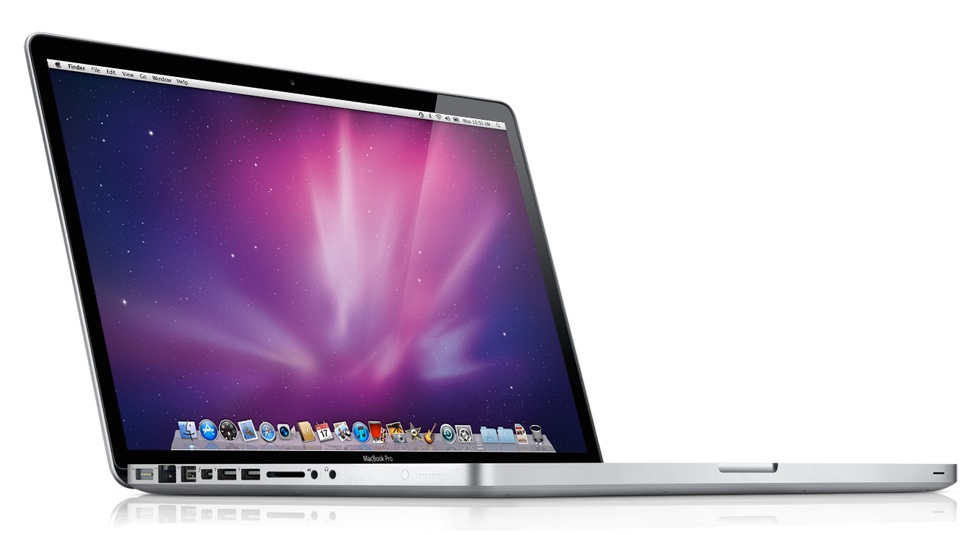
Apple on Thursday released a new line of MacBook Pro laptops and a preview release of Mac OS X Lion, the next generation operating system. Apple executives sat down with The Loop to talk about the new products.
[ad#Google Adsense 300×250 in story]The topic that’s been on everyone’s lips this past week is Thunderbolt, a new I/O technology included in the new MacBook Pros. In addition to being used to support an external display, the Thunderbolt port also works as a high-speed data interface.
“Thunderbolt gives you expandability like you’ve never had on notebooks before,” David Moody, Apple’s vice president of Worldwide Mac Hardware Marketing, told The Loop.
Moody explained that Thunderbolt is a dual channel technology, so you get high-speed from both channels — one doesn’t slow down the other. So you can have a display and a high-speed peripheral connected and have a stable connection.
But just how fast is Thunderbolt compared to the technologies that we’ve become accustomed to on our notebooks?
“Thunderbolt has transfer speeds up to 10 gigabits per second,” said Moody. “That’s 20 times faster than USB and 12 times faster than FireWire 800.”
 Thunderbolt was developed by Intel in collaboration with Apple, according to Moody. We should start seeing devices specifically built for Thunderbolt this spring.
The new MacBook Pros also feature Intel’s Sandy Bridge processors. Moody said the the new chips are “a really big advance in processors.”
“It’s an extremely fast architecture,” said Moody. “We’re seeing up to a two-times performance increase against the previous line-up [of MacBook Pros].
 The other big news today was Apple’s release of Mac OS X Lion to developers. The developer preview gives us a good idea where Apple is going with the Mac OS, and it looks to be taking some pointers from its mobile operating system.
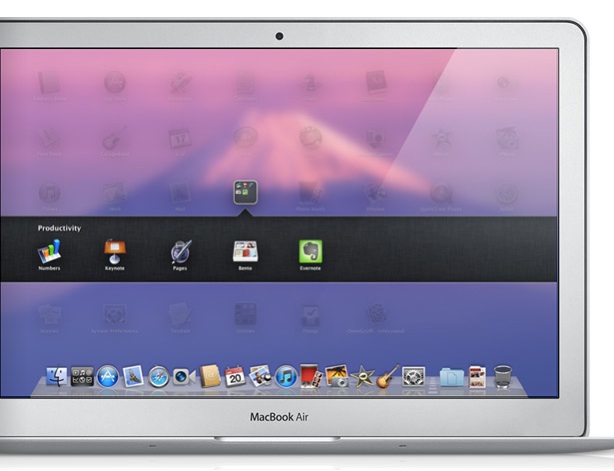
Features of Mac OS X Lion include “Mission Control,” a new way of viewing everything running on the Mac; “Launchpad,” a new home for Mac apps, full screen apps and new “Multi-Touch” gestures.
Wiley Hodges, Apple’s Director of Mac OS X Product Marketing, described LaunchPad as being “very similar to the homescreen on your iPad.” LaunchPad displays your apps in a full screen layout and can span multiple pages. You can switch pages using gestures — a lot like the iOS.
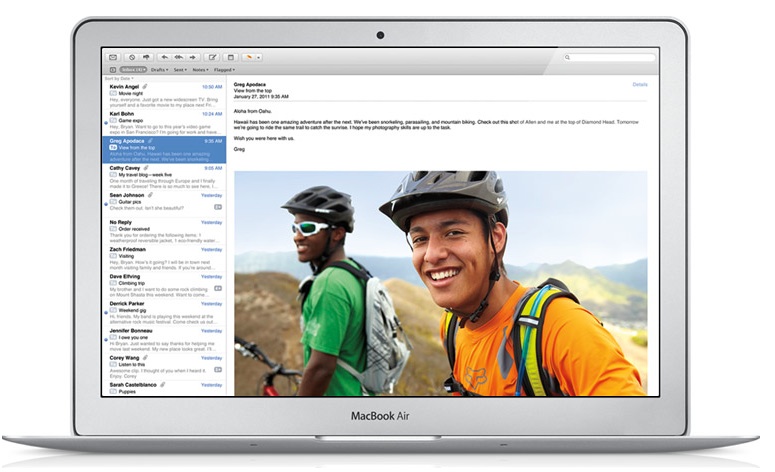
Full screen apps are going to be a big part of Mac OS Lion when it’s released. Even the screenshots from Apple’s Web site show full-screen versions of iPhoto, Mail, iCal and Preview.
Hodges confirmed that Apple is “really working to make full-screen apps a system level” feature.
“We should start seeing devices specifically built for Thunderbolt this spring.” *cough* iPad and iPhone *cough*
Interesting observation. What are the dimensions of the port, specifically the thickness, and would it fit in the relatively thin iPad and iPhone.
Mini-display port (ThunderBolt): 7.9mm tall. (10.8mm wide,)
Current iPad Depth: 0.5 inch (13.4 mm)
You could shrink the iPad by a few mm and still fit it? I was trying to find a 30 pin connector port size to compare but gave up pretty fast.
This is a great re-fresh of the Macbook Pros. I’ve always preferred The ATI/AMD Radeon Mobile Graphics over what nVidia offered. I’ve also been waiting for the Macbook Pros to have Quad-cores and 1GB of Video Memory. The faster RAM is attractive. Apple is going to sell a boat load of these machines.
I’m a lifelong (well, since 1980) Apple fanboy, so I feel bad when I say that Lion seems to bring what I like *least* about iOS—full-screen mode and the space-wasting iOS home screen—to the Mac. There are very, very few applications I’d use that might benefit from the few extra pixels that full-screen mode provides on my 15″ MacBook Pro. I can’t imagine using it on a large external display. (Disclaimer: I don’t do film editing.)
I have no idea about the technical implications/limitations, but I think it may not need to be an actual thunderbolt port, but perhaps just an upgraded dock connector (in the same way the current dock connector isn’t shaped like a USB port).
Can someone get me into the Lion beta? I would really like to try it out, but I don’t want to enroll for the developer program just for that. Thanks a bunch in advance!
That’s why I was asking if a dev could get me in. A developer could add me to his team and after that I could download lion legally.
I hope I’ll find one because I can’t wait to try Lion out.
According to multiple sources, Apple is using the App Store to distribute the Lion DP. If that’s true, people attempting to pirate/steal copies of the developer preview will be shut out of Lion.
Perhaps but before we resort to Kremlinology to figure out what Apple’s plans are, let’s use Occam’s Razor. At the Intel event introducing Thunderbolt, they indicated the interface has backing with several hard drive manufacturers and broadcast/cinema digital video and pro audio companies, including Western Digital, LaCie, Aja, Blackmagic and Universal Audio.
$99 to enroll in the developer program yourself to get betas legitimately seems like a better use of your time and resources than begging a developer to take you on.
Thunderbolt’s first public implementation is the Apple port, which heretofore has been used as a Mini DisplayPort interface. That’s the “copper interface” Intel execs have been talking about. But Thunderbolt is going to appear in different implementations, including an optical interface – my assumption is that the connector will change for that.
I have to agree with Peter. Seeing as the MSRP of Mac OS X is usually higher than USD$99, and the fact that you get the GM/Release distros as well, ponying up for the program is not a bad deal, IMHO.
I would hope most serious developers refuse your request …
I wasn’t begging anyone. I was asking if they we’re willing to. I’m an iOS developer, but also a student and I can’t afford to pony up another hundred dollars right now. I was invited by a friend on his team so there’s no need for it anymore.
And for the record: Stop judging people before you know them. I’m not a fanboy asking for the latest thing. I was just a developer interested in testing the OS 😉
I’ve speculated about this in the post Jim graciously —and betteridge-ly 🙂 — linked to and I believe you’re right Peter.
We’re first going to see this tech in devices that need the speed and bandwidth.
This is going to be sweet for attaching large storage devices to your PC (as in personal computer).
But I will bet my firm little butt on the arrival of Thunderbolt in the next iteration of the MacBook Air.
It is my strong belief that eventually Thunderbolt will make it to iOS devices, but not necessarily during the upcoming updates.
There are reasons against including it in iOS devices as soon as possible:
1. Propagation of actual thunderbolt equipped host hardware is going to take a while.
2. Thunderbolt requires a new kind of controller, which takes up valuable room inside of a device and which may not be power-optimised yet.
But here’s a purely speculative reason for adding Thunderbolt in iOS devices rather sooner than later:
If my understanding of the technology is correct, you only need an adapter cable to connect a Thunderbolt equipped device to an USB/eSATA/FW port — as I understand it Thunderbolt devices like FireWire-devices are equals.
With that Apple could allow iPad/iPhone owners to connect their devices to, say, a FW800 port on their current machine and enjoy faster data transfers. Also they’d be able to easily comply with the new European regulation for charging cables.
I guess I was too subtle, so I’ll try being more direct:
If you’re not REALLY part of a team, getting software this way isn’t legitimate, it is PIRACY. Apple has, in fact, changed their system so that this method of PIRACY no longer works.
It’s now $99, and you need to do it yourself. Pony up.
Can’t do at the moment unfortunately (college application & testing were a big drain this year). C’est la vie
Thanks for the information.
Uhm.. have you looks at the dimensions and power requirements of the controller – i.e. the chip on the logic board that controls Thunderbolt. I don’t expect it in an iDevice any time soon.
It’s possible that since the functionality wouldn’t have to be quite the same as a Macbook Pro (6 devices at a time including a high-res monitor) that a different chip could be designed for the iOS devices.
Don’t rule out Apple magic.
So getting “hired” isn’t legal? If a developer is willing to give me their account name and password it’s legal. Sorry.
There are people that have ripped the encryption off of the install so an account name and password isnt’ required. THAT is piracy.
I believe the port’s size is inconsequential. Apple could easily modify the port to be thinner and a bit wider.
If you have to use quotes then no, it’s against Apple’s terms. Piracy. That you’ve thought only of yourself affects the magnitude, not the theft.
Apple’s implementation will be the only one for more than a year, by which time there will be hundreds of devices. I think you will see the standardized, cheap, widely available Mini DisplayPort used everywhere. Optical will likely be a copper connector, then an optical run of 100 meters to another room, then a copper connector again. Mini DisplayPort is a great solution. It’s exactly the same height as USB (therefore fits on all devices with a desktop USB port) and is cheap and works with all existing displays: Mini DisplayPort, DisplayPort, Dual DVI, DVI, and even VGA. And it’s hot pluggable.
I agree if it is on iOS devices it will be in the 30-pin connector if at all possible, along with USB, just like FireWire/USB was done. This isolates the user from the transition, which is the iOS way. But I don’t know if they are coming soon. iOS storage is slower than USB, so what do you gain? Possibly the digital display connector only for a while. A lot of it probably depends on how cheap and/or easy it is to add. Maybe Intel almost gives Apple an iPad solution just to get a chip inside iPad. Maybe Thunderbolt is built into Apple’s A5. It will be interesting to see how it goes.
Thunderbolt is a great step forward, though. Really good to know that even if Apple removes FireWire, audio pros can get it back with a Thunderbolt adapter.
So don’t push the full screen button or do the full screen gesture. Nothing is lost. It’s just an updated Spaces.
The Mac has always had full screen apps, it is not an iOS thing. Photoshop has had a full screen mode for over 10 years. Even in Snow Leopard, you can put a full screen Photoshop in its own Space. Lion just makes full screen apps standard and easy. It’s just a way to zoom in on an important app like Logic Pro or Xcode.
Also, LaunchPad is just an updated Launcher from Mac OS 9. It’s been missing from Mac OS X this whole time. Launcher was a tabbed window with page after page of apps you could launch with a single click. LaunchPad is a solution for 300 apps (or Scripts) like the Dock can never be.
Even if iOS didn’t exist, these are very natural updates to Mac OS.